
Download Komiko App – AI-Powered Comic Creation Tool for Windows, Mac, Android & iOS
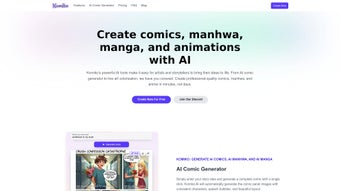
Komiko App is revolutionizing the world of digital storytelling with its AI-powered comic creation platform. Designed for artists, writers, and creative enthusiasts, Komiko transforms text-based ideas into stunning, consistent comics, webtoons, and manga with just a few clicks. Powered by a vast training dataset of comics, manga, and manhwa, the platform ensures high-quality, stylistically accurate image generation.
Whether you're crafting a short story, developing a web series, or experimenting with visual narratives, Komiko’s intuitive interface and advanced AI features make the process seamless and enjoyable. The app supports multiple image generation from a single prompt, enabling creators to explore different angles, poses, and artistic styles—perfect for dynamic storytelling. With character consistency and pose control, your protagonists stay true to form across panels.
Komiko is accessible via web browser, offering full compatibility with Windows, Mac, Android, and iOS devices. Regular updates ensure enhanced features, improved performance, and new creative tools. Join a growing community of creators on Discord to share ideas, get feedback, and stay ahead of the curve.
Download Komiko App today and unlock your inner comic artist with a secure, free, and powerful AI tool.
Key Features of Komiko App
One of the standout aspects of Komiko App is its ability to turn simple text prompts into fully realized comic panels using artificial intelligence. This feature, known as the AI comic generator, allows users to describe a scene—such as “a samurai standing under cherry blossoms at sunset”—and instantly receive multiple high-quality visual interpretations. What sets Komiko apart is its multiple image generation functionality, which produces variations of the same prompt from different angles, lighting conditions, and artistic styles. This is particularly useful for creators who want to explore cinematic framing or experiment with diverse visual aesthetics without needing to hire illustrators.
Another major highlight is character consistency. Once a character is defined, Komiko maintains their appearance, facial features, and clothing across all scenes and panels, ensuring a cohesive narrative. This eliminates the need for manual adjustments and saves hours of editing.
The platform also offers pose control, allowing users to specify how characters should stand, gesture, or move within a scene—ideal for action sequences or emotional moments. For writers, the story-to-comic conversion tool is a game-changer. Simply paste a short story, and Komiko will generate a complete comic layout with AI-created characters, backgrounds, and dialogue bubbles.
Additionally, Komiko is built on a massive training dataset of real comics, manga, and manhwa, which gives its AI a deep understanding of visual storytelling conventions. This results in more natural panel transitions, expressive character emotions, and culturally authentic art styles. The platform is also future-ready, with upcoming updates promising music integration, subtle animations, and visual effects to bring comics to life in new ways. All features are accessible through a clean, browser-based interface—no downloads required for basic use, making it one of the most accessible AI comic tools available today.
How to Install and Use Komiko App
Using Komiko App is incredibly straightforward, especially since it’s a web-based platform. There’s no need to download or install any software—just open your preferred browser on your Windows PC, Mac, Android tablet, or iOS device and navigate to the official Komiko website. Once there, create a free account using your email or social media login. The registration process is quick and secure, with no credit card required for the free tier.
After signing in, you’ll be greeted by the intuitive dashboard. Start by selecting “Create New Comic” and entering a text prompt describing your scene. For example, “A young girl discovers a glowing key in an ancient library.” Komiko will generate multiple image variations in seconds.
Use the preview thumbnails to select your preferred version, then drag and drop it into your comic panel layout. You can add speech bubbles, captions, and sound effects directly in the editor. The platform supports real-time collaboration, so you can invite others to co-create or get feedback from peers.
For more advanced users, Komiko offers a character library where you can upload reference images or define character traits like hair color, clothing style, and expression. This ensures that every appearance remains consistent throughout your story. You can also adjust panel size, spacing, and layout to match traditional manga or modern webtoon formats.
When your comic is complete, export it as a high-resolution PNG, PDF, or animated webtoon file. All projects are saved securely in the cloud, so you can access them anytime from any device. Regular updates introduce new templates, styles, and AI enhancements—keeping your creative workflow fresh and efficient.
Compatibility and System Requirements
One of Komiko App’s greatest strengths is its cross-platform compatibility. Since it’s a web-based application, it runs smoothly on virtually any device with a modern browser. Whether you're using a Windows 10/11 PC, Mac with macOS Ventura or Sonoma, Android tablet or smartphone, or an iPhone or iPad, Komiko delivers a consistent experience without the need for additional software.
For optimal performance, we recommend using the latest version of Chrome, Safari, Firefox, or Edge. The platform supports both desktop and mobile views, with responsive design ensuring that the interface adapts seamlessly to different screen sizes. On mobile devices, the touch-friendly layout makes panel editing and image selection intuitive. No installation is required—just visit the Komiko website and sign in. This makes it ideal for creators on the go who want to sketch ideas during commutes or brainstorming sessions.
While Komiko is accessible on all major platforms, users should have a stable internet connection for smooth AI generation and cloud syncing. The free version includes basic features, but premium plans unlock advanced tools like higher resolution exports, faster rendering, and priority access to new features. All data is encrypted and stored securely, ensuring your creative work remains private. With continuous updates and a focus on accessibility, Komiko App is setting a new standard for AI-powered creative tools across devices.
Pros and Cons of Komiko App
- Pros:
- AI-powered comic generation with high-quality, consistent visuals
- Multiple image generation from a single prompt for creative exploration
- Character consistency and pose control for professional-quality storytelling
- Free to use with optional premium upgrades
- Web-based—no installation required, works on Windows, Mac, Android, iOS
- Story-to-comic conversion simplifies the creation process for writers
- Active Discord community for support and collaboration
- Regular updates with new features like animations and music integration
- Cons:
- Free tier has limited export resolution and rendering speed
- Requires stable internet connection for full functionality
- Advanced features locked behind premium subscription
- AI may occasionally misinterpret complex prompts
- Mobile editing experience, while functional, is less detailed than desktop
Frequently Asked Questions (FAQ)
Is Komiko App free to download and use?
Yes, Komiko App is completely free to download and use. You can create comics, convert stories, and explore AI-generated art without any cost. While the free version offers robust features, premium plans unlock higher resolution exports, faster rendering, and advanced tools like animations and music integration.
Can I use Komiko App on my Android or iOS device?
Absolutely! Komiko App is web-based, so you can access it from any device with a browser. Simply open Chrome, Safari, or another modern browser on your Android tablet, smartphone, or iOS device to start creating comics anytime, anywhere.
How does Komiko maintain character consistency across panels?
Komiko uses advanced AI models trained on thousands of comics and manga. Once you define a character’s appearance, the system remembers their features—hair, clothing, facial structure—and applies them consistently across all scenes and panels, ensuring a professional and cohesive look.
Can I convert my short story into a comic using Komiko?
Yes! Komiko’s story-to-comic conversion feature allows you to paste a short story, and the AI will generate a full comic layout with AI-created characters, backgrounds, and dialogue. This is perfect for writers who want to visualize their narratives without needing illustration skills.
What future updates are planned for Komiko App?
Future updates will include music integration, subtle animations for dynamic panels, visual effects like lighting and motion blur, and enhanced collaboration tools. These features aim to transform static comics into immersive, multimedia experiences.
Final Verdict: Why You Should Download Komiko App Today
Komiko App is more than just a comic creation tool—it’s a creative revolution for storytellers, writers, and artists of all levels. With its powerful AI engine, intuitive interface, and broad compatibility across Windows, Mac, Android, and iOS, it removes the barriers to entry for comic creation. Whether you’re a beginner exploring your first story or a seasoned creator expanding your portfolio, Komiko empowers you to bring your imagination to life with minimal effort.
The ability to generate multiple visual interpretations from a single prompt, maintain character consistency, and convert text into comics instantly makes it a must-have tool in your creative arsenal. While the free version is already impressive, the upcoming features promise even greater depth and interactivity. The active Discord community adds a collaborative edge, making it easy to get help, share work, and grow as a creator.
If you're looking for a secure, free, and innovative AI-powered comic tool that’s easy to use and constantly evolving, Komiko App is the perfect choice. Don’t miss out on the future of storytelling. Download Komiko App now and start creating your next masterpiece in minutes.



.png)



